Why can storage stay full after a Fast Cleaner cleanup?
Deleting photos may not address the largest storage category, and recovery or sync behavior can affect what changes. Fast Cleaner helps you review media; the device’s storage screen is the place to check whether the cleanup solved your particular space problem.
If your iPhone storage is still full after deleting photos, check the device-storage breakdown before deleting more. The items you removed may be small, other categories may be larger, or you may be looking at an iCloud warning rather than a device warning.
It is frustrating to clear a hundred pictures and still have a recording fail. A hundred images is a count, though, not a measurement of recovered space. The next useful step is to identify the category that is actually blocking you.
- Check iPhone Storage and iCloud usage separately.
- Review recoverable items carefully; permanent deletion removes your fallback.
- A few large recordings can be more useful to review than hundreds of small images.
First, identify which storage is full
Open Settings → General → iPhone Storage and note the available space and largest categories. Then check Settings → your name → iCloud. These are separate capacities, as Apple explains. A change to one is not proof that the other changed.
Write down the numbers before doing anything else. If Photos is a modest category and apps or downloaded media dominate the device, repeatedly deleting pictures is unlikely to be the best use of your time.
Review Recently Deleted without rushing
Deleted media may still be recoverable. Apple documents a 30-day Recently Deleted collection and explains how to recover items or permanently remove them. Inspect it before choosing permanent deletion.
Open Photos, look under Utilities for Recently Deleted, and authenticate if prompted. Menu placement varies by iOS version. Restore anything you removed accidentally; only permanently delete items you are certain you no longer need.
Do not confuse the recovery window with a promise about how much local space will return. Recheck the device-storage screen afterward rather than calculating a saving from the number of deleted items.
Measure files instead of counting them
Ten screenshots, ten high-resolution photos, and ten long videos are different cleanup jobs. Choose a few files you no longer want and inspect their sizes before deciding what to review next.
For example, a short clip you intend to keep is not a good deletion candidate just because it is large. An accidental recording you never wanted may be. Start with usefulness, then size.
After each cleanup batch, revisit the same storage screen and repeat the task that failed. Being able to save the next recording is a more meaningful result than a rising “items cleaned” count.
Choose the next check from the storage screen
- Photos is still large: inspect unwanted recordings and recoverable items, review the photo-sync settings, and preserve important copies before any permanent removal.
- Apps or downloads are larger: manage that content inside the relevant app. Use the app-data preservation checklist before deleting an app.
- The figures still disagree: let an active calculation finish, note device and cloud usage separately, and record the exact warning for support. There is no universal waiting time that guarantees a corrected reading.
Follow the next largest category
If Photos is no longer the main problem, review downloaded films, offline music, message attachments, and unused apps in their own settings. Preserve important conversations and app data before removing anything.
A photo cleaner does not control every app’s private files or system storage. Avoid treating a media-cleanup result as a full-device diagnosis. Our iPhone storage guide covers a wider cleanup plan.
If the numbers remain confusing, allow an active storage calculation to finish and record what the screen shows. Persistent discrepancies are a reason to consult device support, rather than erase files blindly.
Understand sync before deleting another batch
With iCloud Photos, deletion can propagate across your connected devices. Apple’s iCloud management guide recommends preserving copies of content you want before reducing the library.
Keep a separate copy of irreplaceable items and verify that it opens. Seeing a photo on another synced device is not, by itself, evidence of an independent backup.
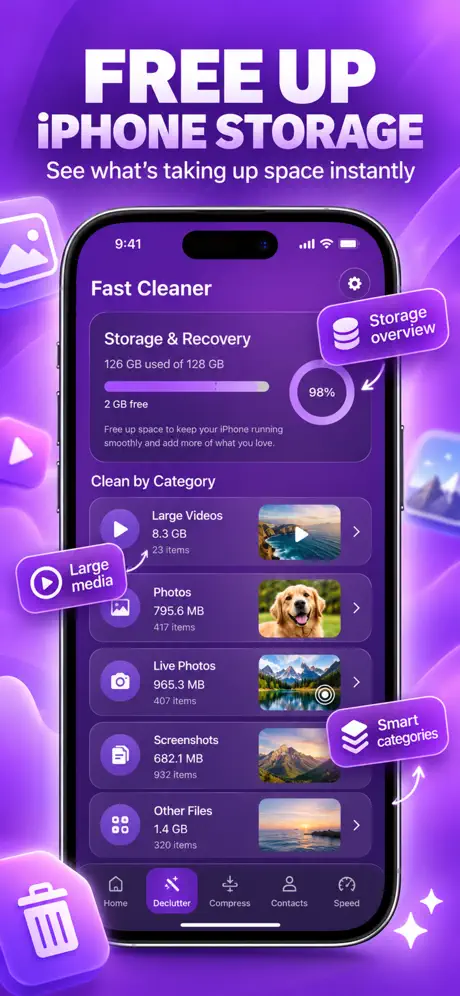
Fast Cleaner can help group duplicate and similar photos, screenshots, and large videos for review. Use it for that specific media task, then return to Settings to assess the actual storage result.
You can also download  Fast Cleaner: AI Photo Clean. Review the features available on your platform and any pricing before choosing an app.
Your review checklist
Mark each point after you have considered it. This worksheet records your review; it does not inspect your device.
You have reviewed each point. Proceed only with the changes you understand and want to make.
Your selections stay in this page’s memory, are not submitted, and reset when you reload.
Common questions
Will buying iCloud storage fix a full iPhone?
It increases cloud capacity, not the physical storage inside the phone. Review which capacity is full and which files need to be available locally.
Should I empty Recently Deleted immediately?
Only after reviewing the items and preserving anything important. Permanent deletion trades away the recovery option; it is not a step to take automatically.
How much space will deleting 1,000 photos free?
There is no reliable fixed amount. File formats, sizes, videos, and local copies differ. Compare the actual storage figures before and after.
What changed after deletion?
| Observation | What it suggests | Next check |
|---|---|---|
| Photos still occupies space | Review the photo service’s recovery and sync state. | Preserve important copies before permanent removal. |
| Apps or downloads dominate | Photo deletion did not target the largest category. | Use storage settings and the responsible app. |
| Only a cloud meter changed | Local and cloud capacities are separate. | Compare the same device-storage screen before and after. |
Apple’s wording:
space-saving copies.
Apple uses this term for local versions kept with Optimize Storage. A cloud-original size and the current device footprint can differ.
Platform source: Apple — Manage your photo and video storage, checked November 21, 2026.

Where Fast Cleaner fits
After reviewing files in Fast Cleaner, return to the same storage screen and record its updated value. A count of removed pictures is not a reliable substitute for the bytes actually recovered.
Fast Cleaner’s privacy policy describes on-device media analysis with separate limited analytics. Compare Android and iPhone pricing.
Continue with Can Fast Cleaner fix an iPhone storage-full warning?.
Official platform references are linked beside the relevant claims. Menu labels and available features vary by software version and device. Examples are illustrative; this guide does not claim a measured cleanup result or an endorsement by Apple or Google.