 Fast Cleaner
Fast Cleaner
Fast Cleaner
Find duplicate photos, remove similar images, clean screenshots, and compress videos with fast, privacy-respecting cleanup tools built for modern phones.
Core cleanup flows are designed to stay on-device. Feature availability can vary by platform and OS version.
Everything you need to reclaim phone storage and stay organized. Existing deep-dive guides on this site are currently iPhone-focused.

AI-powered duplicate photo finder catches exact copies and visually similar shots so you can remove clutter without manually hunting through your gallery.
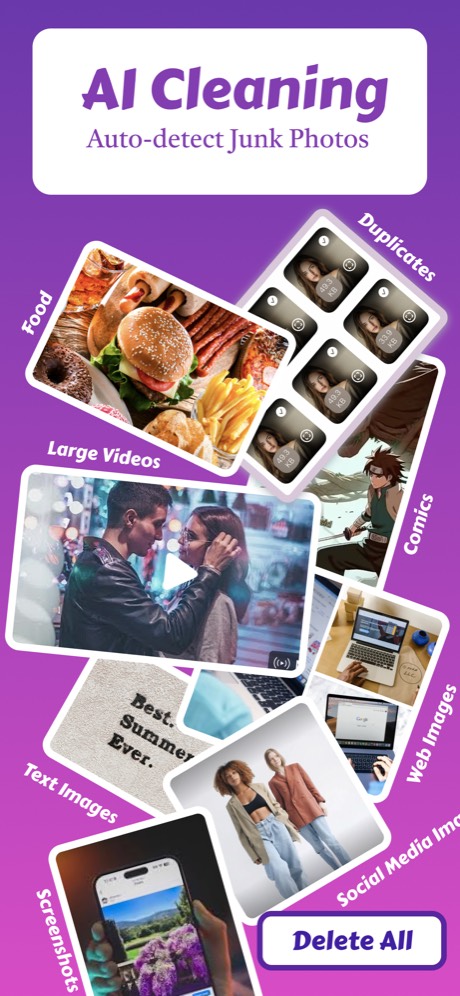
Auto-detect and bulk delete screenshots, web images, blurry photos, and junk. Clean up years of clutter in seconds.

Compress large videos to recover space faster. High-resolution clips are often the fastest way to reclaim gigabytes of storage.
Clean your phone storage in 4 simple steps:
Open Fast Cleaner and start a cleanup flow. The app scans your media library and highlights likely storage wins.
See duplicates grouped, junk categorized, and videos sorted. You're in control.
Select what to remove and confirm cleanup. Fast Cleaner is built to keep you in the review loop before anything is removed.
Keep coming back for quick maintenance sweeps so screenshots, duplicate images, and large videos do not pile up again.
Start with our most popular cleanup walkthroughs and storage tips.
Running out of space? Learn the most effective ways to reclaim iPhone storage fast.
Read article →Duplicate photos silently consume gigabytes of storage. Here's how to find and remove them.
Read article →Large video files eating your storage? Learn how to compress them while keeping quality.
Read article →Built for private, on-device cleanup across Android and iPhone.
Fast Cleaner is a privacy-first storage cleaner. Core duplicate and junk-detection flows are designed to run on your device, so your personal media does not need to be uploaded to our servers. Learn more about our privacy →
Published by independent developers committed to building privacy-respecting apps. We believe you shouldn't have to sacrifice privacy for functionality. Questions? Reach us at tshank30@gmail.com.
No photo uploads. Limited analytics only. Junk detection and classification happen on-device, and we collect only screen event analytics and related diagnostics to improve the app experience. Your photos and classification results are never uploaded to our servers. See our full privacy policy →
Fast Cleaner is available on the App Store and Google Play. Storage savings vary by library size, but duplicate photos, screenshots, and large videos are often the fastest cleanup opportunities.
Everything you need to know about Fast Cleaner.
Fast Cleaner surfaces the biggest storage wins first. Use it to find duplicate photos, similar images, screenshots, junk images, and large videos so you can review and remove clutter from one place.
Yes. Fast Cleaner is available on both Android and iPhone. Some behaviors can vary by platform version, permissions, and the media APIs available on your device.
No. Core cleanup flows are designed around on-device processing, so your personal media does not need to be uploaded to our servers for duplicate and junk detection. Learn about our privacy approach →
Yes. Fast Cleaner groups likely cleanup candidates so you can review duplicates, screenshots, and videos before confirming removal.
Storage savings vary by library size. Duplicate photos, similar shots, screenshots, and uncompressed videos often account for a surprisingly large share of device storage.
Start with the biggest categories: duplicate and similar photos, large videos, and old screenshots. These are usually the fastest ways to reclaim space without uninstalling apps you still use.
Yes. Fast Cleaner includes video compression tools to help you shrink large recordings and recover storage faster. See one of our video compression guides →
Yes, and that is intentional. Fast Cleaner helps you find likely duplicates and similar shots faster, but review is still important because only you know which copy you want to keep.
Yes. Because core cleanup flows are designed to work on-device, you can scan and review storage issues without depending on a constant internet connection.
Yes, core features are free forever. Scan your library, find duplicates, and clean up to 50 items free. Premium unlocks unlimited cleanup, video compression, contact merging, and priority support. Most users try free first, then upgrade when they see how much space they can save.
Fast Cleaner is designed to preserve visual quality. Video compression can reduce file sizes substantially, especially for large recordings, while keeping output suitable for everyday viewing and sharing.
Just a few minutes for most libraries. Scanning typically takes 1-3 minutes depending on your library size. The actual cleanup is instant — select what to remove and tap Clean. Video compression takes longer (about 10-30 seconds per minute of video) but runs in the background.
Usually because the biggest space hogs are not isolated single photos. Large videos, duplicate images, screenshots, downloads, and cached media tend to build up gradually and can consume tens of gigabytes before you notice.
Download Fast Cleaner on your platform and free up space today.
